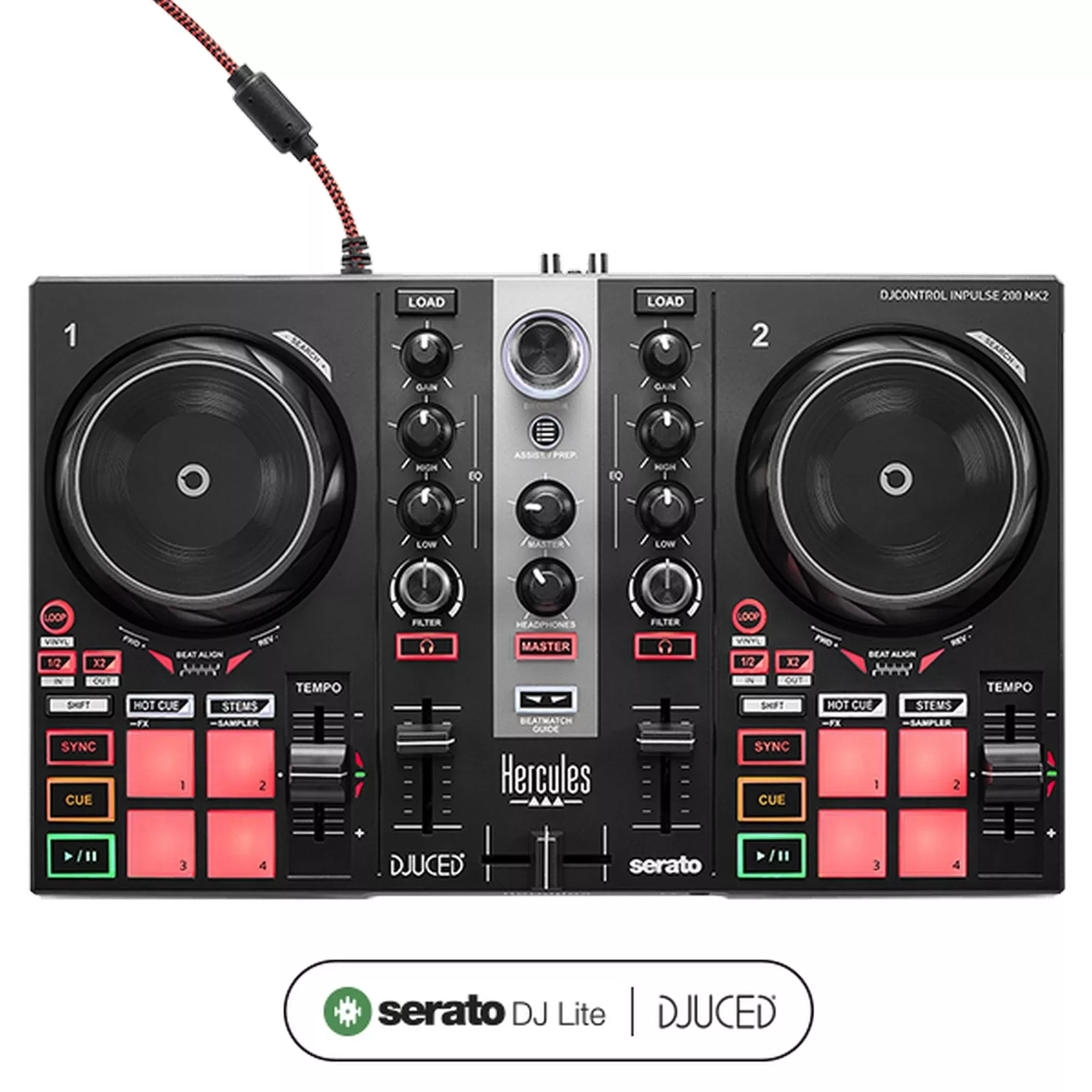
Hercules DJControl Inpulse 200 MK2 2-Channel DJ Controller
Easily learn the basics of DJing and have fun mixing yourfavorite tracks with Hercules DJControl Inpulse 200 MK2. Now available withSerato DJ Lite and DJUCED, this DJ controller offers exclusive new featuresincluding STEMS, which let you mix the instrumentals from one track with thevocals from another track. Enjoy unlimited mixing possibilities that will giveyour creativity free rein!
Using the Beatmatch Guide feature, you can sync your trackswith help from the built-in light guides located below each jog wheel and tothe right of each tempo fader. With 8 pads and 4 modes (Hot Cue, Stems, FX,Sampler), you can be creative and have a blast making transitions betweentracks worthy of the hottest DJs!
Key Features
- Serato DJ Lite and DJUCED software included, and compatiblewith Serato DJ Pro
- Learn the basics of DJing with help from the Beatmatch Guide(built-in Tempo and Beat Align light guides)
- Be creative and create infinite variations of mixes with theSTEMS feature
- Integrates music streaming services for mixing tracks(Beatport ADVANCED, Beatsource, SoundCloud GO+ or TIDAL)
- Master the fundamentals of DJing with videos from the prosat the DJ Academy
- Compact, easily-transportable controller
- With DJUCED, easily prepare your mixes thanks to the IMA(Intelligent Music Assistant)
Technical Specifications
Built-in audio
Master (speakers) and monitoring (headphones) outputs
Decks
2 Play, Cue (+Sync, Shift) sections, 2 jog wheels, 2 x 4pads with 4 modes (Hot Cue, Stems, FX, Sampler), 2 tempo faders, 2 Loopsections
Mixing
1 crossfader, 2 mixers (Gain, 2-band EQ, Filter, volume),monitoring controls, master volume
Stems
Split up tracks into instrumental and vocal stems
Create mashups by playing a different vocal over theinstrumental
Create fresh transitions by mixing the instrumental of thenext track over the vocal of the one that’s playing
Beatmatch Guide
Built-in light guides
no need to look at a screen
Tempo guide
indicates where to move the tempo fader
Beat Align guide
indicates which direction to turn the jog wheel